You cannot withdraw from DM Play until a bank account is bound to your profile. It takes two minutes, but mistakes here are the number one reason withdrawals get rejected. So it is worth doing slowly, once.
What You Need
- Account holder name, exactly as printed on your passbook or shown in your banking app
- Bank name
- Account number
- IFSC code, 11 characters, on your passbook, cheque book or banking app
The account should be in your own name, the same person who owns the DM Play account.
Steps to Add a Bank Account
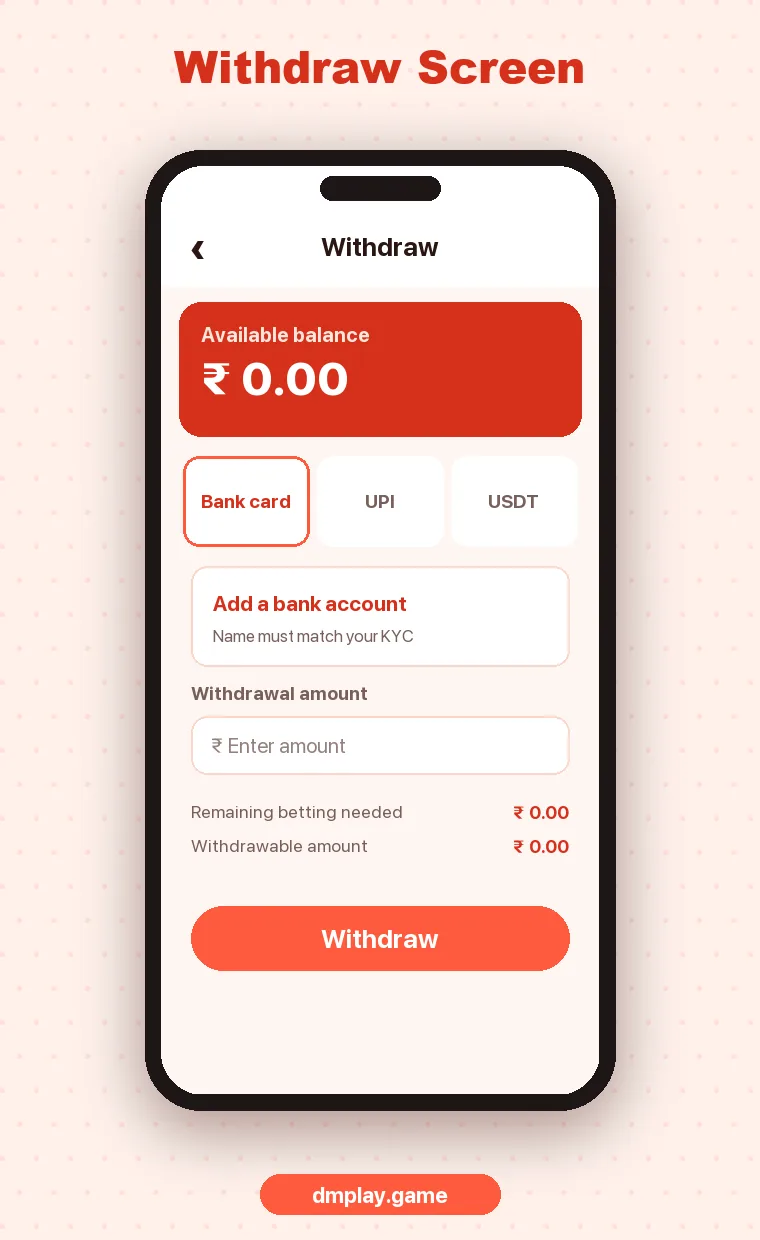
- Log in and open Wallet → Withdraw, or the bank card section under Account.
- Tap Add a bank account.
- Enter the name exactly as your bank has it, including initials and spacing.
- Select your bank from the list.
- Enter the account number. If asked to confirm it, type it again instead of pasting.
- Enter the IFSC. Capital letters, and the fifth character is always zero.
- Check everything once more and tap Save.
Common Mistakes
| Mistake | Result | How to avoid it |
|---|---|---|
| Name typed differently, e.g. “Ravi K” vs “Ravi Kumar” | Withdrawal rejected or held | Copy the name exactly from your bank |
| Wrong IFSC (letter O instead of zero) | Transfer fails | The fifth character is always 0 (zero) |
| Someone else’s account | Payout held for checks | Use an account in your own name |
| Closed or dormant account | Transfer bounces | Use an active savings account |
| Account number off by one digit | Money goes nowhere, or delays | Type it twice and compare |
Can I Change My Bound Bank Account?
On most platforms like DM Play, once a bank account is bound you cannot simply edit it, to stop someone who gets into your account from redirecting withdrawals. To change it, contact customer care with your UID and the reason. They may ask you to verify that you own both accounts.
After Binding: Your First Withdrawal
- Make sure Remaining betting needed is zero.
- Enter an amount within the withdrawable balance.
- Choose the bound account and confirm.
- Track it in Withdraw history.
Full steps are in DM Play Deposit and Withdrawal.
FAQ
Can I add a UPI ID instead of a bank account?
Withdrawal options depend on what DM Play offers at the time. Bank account binding is the standard method, and the withdraw page shows any other options.
Is it safe to add my bank details?
Only enter them inside the real DM Play app or site. Never share bank OTPs or UPI PINs with anyone. Withdrawals do not need them.
How many bank accounts can I add?
This depends on DM Play’s current settings. Many platforms limit it to one or a few, all in your own name.