Money questions are where most DM Play support tickets come from, and nearly all of them come down to three things: paying the wrong amount, wagering that is not finished, or a bank account that does not match. This page goes through both sides of the wallet, in the order you will actually use them.
Part 1: Depositing on DM Play
Deposit Methods
| Method | How it works |
|---|---|
| UPI-QR | Scan a QR code with any UPI app such as PhonePe, Google Pay or Paytm |
| UPI Pay | Opens your UPI app directly with the amount filled in |
| USDT | Crypto transfer to a wallet address, for people already using USDT |
| Other channels | Additional UPI channels appear and disappear over time |
Step by Step
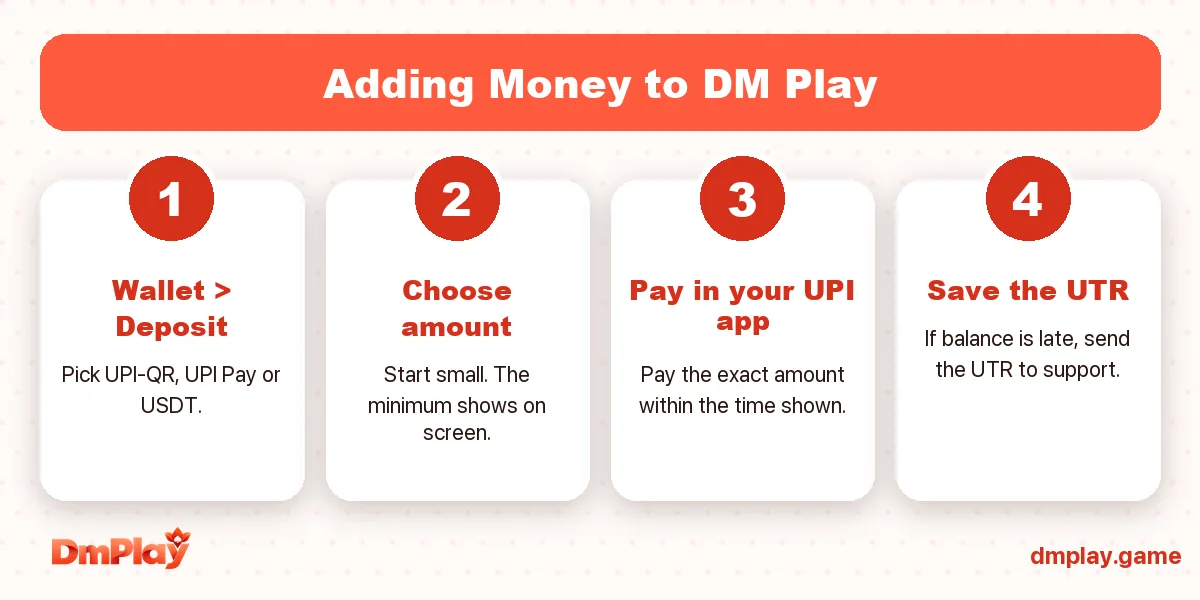
- Tap Wallet → Deposit.
- Choose a channel. If one fails, another channel will often go through.
- Tap a preset amount or type one. The page shows the minimum and maximum for that channel.
- Tap Deposit and pay the exact amount in your UPI app, before the timer on the payment page runs out.
- Come back to DM Play. The balance usually updates within a few minutes.
If Your Deposit Does Not Show Up
- Wait 15–20 minutes. Some channels are slower at busy times.
- Open Deposit history and check the order’s status.
- Find the UTR / reference number in your UPI app’s transaction details.
- Send support your UID, the deposit order number, the UTR and a screenshot of the payment.
If the money left your bank but the order expired on DM Play, the UTR is what lets them trace it. Keep it until the balance shows.
Part 2: Binding a Bank Account
You only do this once. In the withdraw section, choose Add a bank account and enter:
- Account holder name, exactly as your bank has it
- Bank name
- Account number, typed twice if asked
- IFSC code
Our step-by-step post on adding a bank account in DM Play has screenshots and the common mistakes.
Part 3: Withdrawing from DM Play
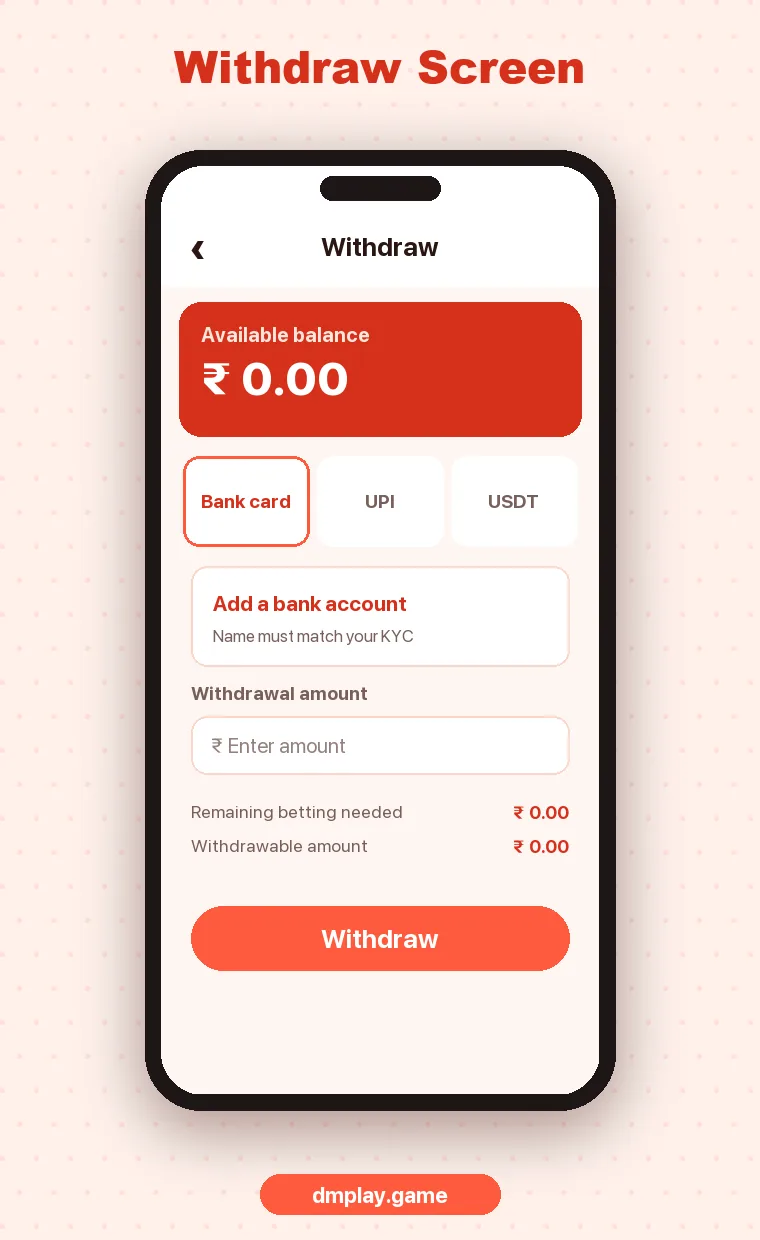
- Tap Wallet → Withdraw.
- Look at Remaining betting needed. It must be zero.
- Pick your bound bank account.
- Enter an amount within the withdrawable amount.
- Confirm, then track the request in Withdraw history.
What “Remaining Betting Needed” Means
Platforms like DM Play require you to bet your deposit, and any bonus, a set number of times before it can be withdrawn. This stops people from depositing and withdrawing straight away. Bonuses usually raise the requirement a lot, which is why players who took a big first deposit bonus often find they cannot withdraw for a while.
Withdrawal Problems and Fixes
| Problem | Likely cause | Fix |
|---|---|---|
| Withdraw button greyed out | Remaining betting is not zero | Finish the wagering or wait until it clears |
| Rejected | Name mismatch or wrong IFSC | Fix the bank details through support |
| Processing for a long time | Busy payout channel | Wait, then contact support with the order number |
| Amount below minimum | Small balance | Withdraw once you are above the minimum shown |
Payment Safety
- Only pay through the page that opens from your own Wallet.
- Never send money to a UPI ID someone sends you in a chat.
- Never share your UPI PIN or an OTP with anyone claiming to be DM Play.
- Keep screenshots of deposits until they show in your balance.
FAQ
How fast are DM Play withdrawals?
Many complete within a few hours. Some take longer depending on the payout channel and how busy it is. Withdraw history shows the live status.
Can I withdraw to someone else's bank account?
You should only use an account in your own name. Mismatched names are a common reason withdrawals get held.
My UPI shows success but DM Play does not. Is my money lost?
Usually not. Send your UID, the order number and the UTR to customer service so they can match the payment.
Can I withdraw the bonus amount?
Only after its wagering requirement is complete. Until then it shows as locked behind “remaining betting needed”.